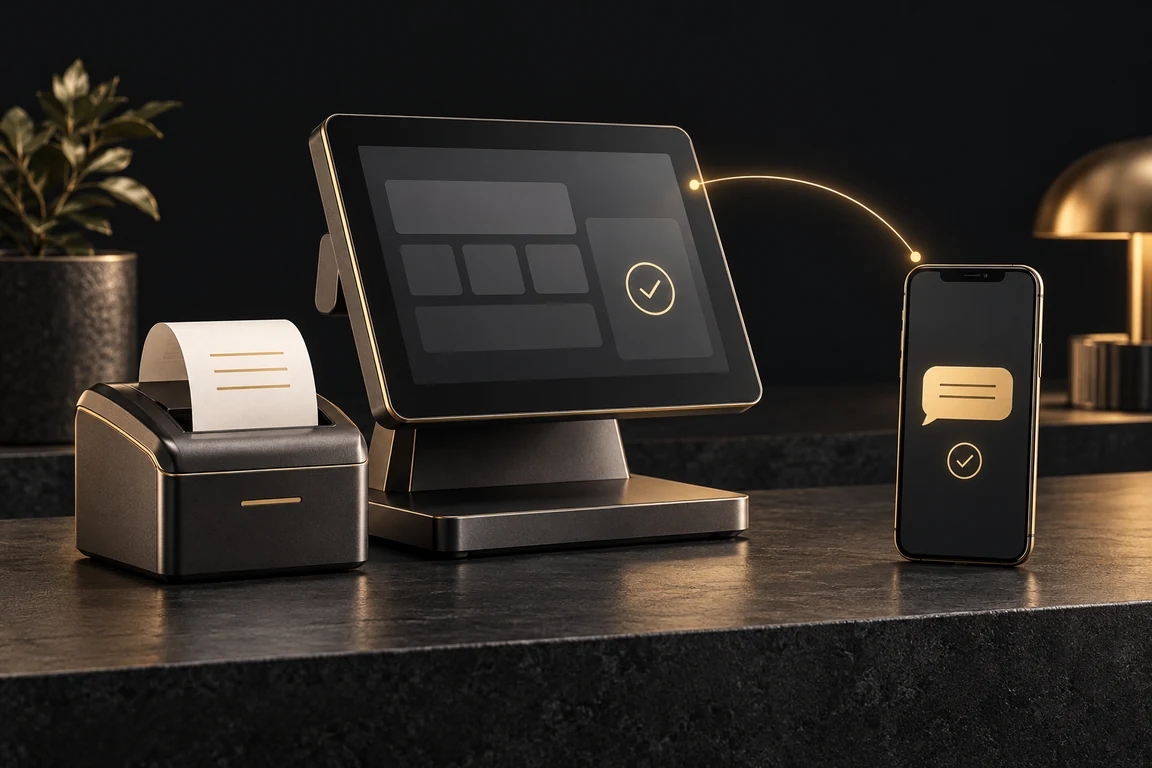
Why a POS needs an SMS gateway
A point of sale system already knows the moments that matter to a customer: a sale is completed, an order is ready, a payment is due, loyalty points are earned. Each of those moments is a reason to send a short message, and SMS is the one channel that reaches every phone in Sri Lanka, smartphone or not, without an app, a data bundle or an email address.
An SMS gateway is what turns those POS events into delivered messages. Your POS hands the gateway a phone number and a line of text; the gateway checks the number, works out the cost, delivers the message to Dialog, Mobitel, Hutch or Airtel and reports back whether it arrived. If you are new to the terms, SMS gateway vs bulk SMS vs SMS API explains how they fit together.
This guide is for anyone building or running a POS, billing or invoicing system: retail shops, pharmacies, restaurants, hardware stores, service centres and the developers who build software for them. It covers which messages are worth sending, how the integration is put together, working code, and the failure cases a till cannot afford to get wrong.
Which POS messages are worth sending by SMS
The best POS messages are ones the customer is glad to receive because they answer a question before it is asked. Start with one or two of these rather than all of them, and measure how customers respond.
- Digital receipts: the bill number, total and a short link to the full invoice, so the customer has a record without a paper slip.
- Loyalty updates: points earned on this purchase and the new balance, which brings customers back more reliably than a generic promotion.
- Order ready alerts: for restaurants, bakeries, pharmacies and print shops, a message when the order or prescription is ready to collect.
- Credit and due reminders: a polite reminder before a credit account or instalment falls due, with the amount and the date.
- Service and warranty reminders: a vehicle service, a water filter change or a warranty that is about to expire.
- Owner alerts: a daily sales summary, a large refund or a low stock warning sent to the owner or manager.
- Staff approvals: a one-time code sent to a manager to approve a void, a discount above a limit or a cash drawer opening.
Transactional messages and campaigns are different jobs
Everything in the list above is transactional: one message to one person, triggered by something they did. Those messages belong in the POS code and go through the SMS API the moment the event happens.
Promotions are different. A weekend offer to every loyalty member is one message to many people, which is a bulk SMS campaign. It is usually better to export the customer list into a contact group and send the campaign from the dashboard, or with the campaign endpoint, than to loop over thousands of customers inside the POS. The campaign is reviewed once, costed once and scheduled for the right time, and the till is never slowed down by a long send.
How the integration fits together
The pattern is the same whatever language your POS is written in. An event in the POS produces a message from a template. The POS server sends that message to the SMS gateway API with an HTTP request. The gateway answers straight away with a message ID, which the POS stores next to the sale, the order or the customer. Later, the POS or a person can use that ID to see whether the message was delivered.
Make the request from your server, never from the till terminal or a browser. The API token is a password for your SMS credits: anyone who can read it can send messages at your cost. Keep it in the server configuration, and if your POS runs terminals in several branches, let the terminals tell the central server what to send instead of giving each terminal the token.
Never let an SMS hold up a sale. Send the message after the sale is saved, ideally from a background job or queue, so a slow network or an empty SMS balance can never stop a cashier from finishing a bill. The customer is in front of you; the receipt SMS can arrive a few seconds later.
Step 1: set up the account, sender name and token
Create an account and request a sender name. This is the alphanumeric name that appears instead of a phone number on the customer phone, up to 11 characters, such as the shop or brand name. It must be approved before you can send with it, so request it before you write any code. The SMS gateway FAQ covers sender names and approval.
Then generate an API token in the dashboard under API tokens. You can create more than one token, which is useful for keeping a test system and the live POS apart, or one token per client if you build POS software for several businesses on a single account. A token you no longer need can be revoked without affecting the others, and the API rate limit applies to each token separately.
Finally, add some credits. Each SMS segment uses one credit per recipient, and the bulk SMS rates are the same whether you send from the dashboard or the API. Credits do not expire, so a shop that sends a few receipts a day is not penalised for buying ahead.
Step 2: send the first message from your POS
A send is a POST request to the send endpoint with a Bearer token and a JSON body: the recipient, the approved sender_id and the message. The example below is plain PHP with cURL, which runs on almost any POS backend; the same request works from C#, Java, Python or Node.js.
Phone numbers can be passed exactly as customers give them. Local numbers such as 0712345678 are normalised to 94712345678 automatically, so the POS does not need its own formatting rules. Only Sri Lankan mobile numbers are delivered; anything else is skipped and reported as invalid, which is a useful signal that a customer record needs correcting.
A successful response contains the message uid, sms_count (the segments in the message), cost (the credits taken) and a status of Queued. Store the uid with the sale. Queued means the gateway has accepted the message, not that it has reached the phone yet; delivery is confirmed separately.
<?php
function sendPosSms(string $phone, string $text): ?string
{
    $ch = curl_init('https://e-sms.lk/api/v3/sms/send');
    curl_setopt_array($ch, [
        CURLOPT_POST => true,
        CURLOPT_RETURNTRANSFER => true,
        CURLOPT_TIMEOUT => 10,
        CURLOPT_HTTPHEADER => [
            'Authorization: Bearer '.getenv('SMS_API_TOKEN'),
            'Content-Type: application/json',
            'Accept: application/json',
        ],
        CURLOPT_POSTFIELDS => json_encode([
            'recipient' => $phone,          // 0712345678 is fine
            'sender_id' => 'YourShop',      // an approved sender name
            'message'   => $text,
        ]),
    ]);
    $body = json_decode((string) curl_exec($ch), true);
    $code = curl_getinfo($ch, CURLINFO_HTTP_CODE);
    curl_close($ch);

    // Keep the uid with the sale; null means "not sent", never "stop the sale".
    return $code === 200 ? ($body['data']['uid'] ?? null) : null;
}

$uid = sendPosSms('0712345678', 'Thank you for shopping at YourShop. Bill #10482, total Rs 3,450. Points earned: 34, balance: 512.');
Step 3: write templates that fit one segment
Cost is counted per segment, not per message. A message in plain Latin text fits 160 characters in one segment; Sinhala, Tamil or a single emoji switches the whole message to Unicode, which fits 70. A POS sends the same template thousands of times, so one extra segment in a template doubles the cost of every message it produces. What counts as one SMS covers the rules in full.
Write each template with the longest realistic values filled in: the longest customer name, a six digit bill number, the highest total. Then check it with the estimate endpoint, which returns the segment count and credits without sending anything. Do this whenever a template changes, not only when it is first written.
Templates that fit comfortably in one segment look like this. Keep the shop name at the start so the customer recognises the message, put the one fact they need next, and leave out greetings that add length without adding information.
- Receipt: YourShop bill #10482: Rs 3,450.00. Thank you! View: yourshop.lk/r/10482
- Order ready: YourShop: your order #2231 is ready for collection at Kandy Road branch until 9pm.
- Due reminder: YourShop: Rs 12,500 on account 4471 is due on 05 Nov. Call 0112345678 for help.
- Loyalty: YourShop: you earned 34 points today. New balance: 512 points (Rs 512 off your next bill).
- Manager code: YourShop approval code 418273 for a Rs 2,000 discount at Till 3. Valid 5 minutes.
Step 4: plan for every way a send can fail
A POS runs all day in shops with patchy internet and busy staff, so the integration has to fail quietly and recover on its own. Every API error comes back as JSON with a status and a message, and the HTTP status tells the POS what to do next.
- 402, not enough credits: finish the sale, keep the message in a retry queue and alert the owner to top up. Checking GET /api/v3/balance once a day and warning when it runs low prevents this entirely.
- 422, something in the request is wrong: usually a missing sender name or a number that is not a Sri Lankan mobile. Do not retry; mark the customer record so the number can be corrected at the next visit.
- 429, rate limited: the token is sending faster than its limit allows. Wait and retry from the queue; this mostly happens when someone loops a campaign through the POS instead of using a contact group.
- 401, token missing or revoked: stop sending and alert whoever maintains the system, since every message will fail until the token is replaced.
- 500, a failure on the gateway side: the credits are not taken, so it is safe to retry later from the queue.
- No response at all: the shop internet dropped. Queue the message locally and send it when the connection returns.
Avoid sending the same message twice
The awkward case is a timeout after the request has left the POS: the message may have been accepted even though no response came back. Blindly retrying can send the customer two identical receipts and spend credits twice.
Before retrying a message that timed out, list the messages sent in the last few minutes with GET /api/v3/sms, which can be filtered by date, and check whether that number already received that text. Only send again if it did not. For staff approval codes, which expire quickly, it is usually simpler to generate a fresh code than to retry the old one.
Step 5: track delivery and report on it
Because the POS stored the uid with each sale, it can look up any message with GET /api/v3/sms/{uid}. The status moves from Queued to Delivered once the network confirms it, or to a failed state if the phone could not be reached. Showing that status on the sale or customer screen saves staff from guessing when a customer says the receipt never came.
The dashboard keeps a log of every message with its delivery status, which can be filtered and exported to CSV. That export is the easiest way to reconcile SMS spend against sales at the end of a month, and to spot customer numbers that fail every time.
// Node.js 18+: check whether a receipt SMS reached the customer
async function smsStatus(uid) {
  const res = await fetch(`https://e-sms.lk/api/v3/sms/${uid}`, {
    headers: {
      Authorization: `Bearer ${process.env.SMS_API_TOKEN}`,
      Accept: 'application/json',
    },
  });
  const { data } = await res.json();
  return data.status; // "Queued", then "Delivered" once the network confirms
}
Keep SMS costs predictable
A few habits keep the SMS line on the monthly accounts small and easy to explain. Send only the messages customers value, keep every template to one segment, and let owners turn individual message types on or off in the POS settings. A shop that only wants order-ready alerts should not pay for receipts it never asked for.
Show the remaining credits in the POS admin screen using the balance endpoint, and warn well before it reaches zero. For POS vendors billing their own clients, the message log and the cost field on every response make it straightforward to pass SMS costs on accurately. The bulk SMS pricing page shows how the rate falls as the top-up grows.
POS SMS integration checklist
Before switching messages on for every till, run through this list with a test number you control.
- Sender name approved and the API token stored on the server, not on the terminals.
- Messages sent after the sale is saved, from a background job, never blocking the cashier.
- Every template checked with the estimate endpoint at its longest realistic length.
- The uid stored with each sale so delivery can be looked up later.
- Each error code handled, with a local retry queue for 402, 429, 500 and lost connections.
- Timeouts checked against the message list before any retry.
- A low balance warning in the POS admin screen.
Start with one message
The quickest way to prove the integration is to pick a single message type, usually the digital receipt or the order ready alert, and send it from one till for a week. Watch the delivery reports, ask a few customers what they think, then add the next message type.
Everything in this guide runs on the same SMS gateway Sri Lanka businesses use for bulk SMS and OTPs, so the receipts from your POS and the campaigns from your marketing team share one account, one balance and one delivery log. The API reference lists every endpoint, and from API token to your first message is a shorter walkthrough of a first request.